Formula 1 Race Weekend for TRMNL
A free plugin for the TRMNL e-ink display that follows the current Formula 1 race weekend: session times in your time zone, the forecast, results, the starting grid and the news. It doesn’t need a Grand Prix Picks account.
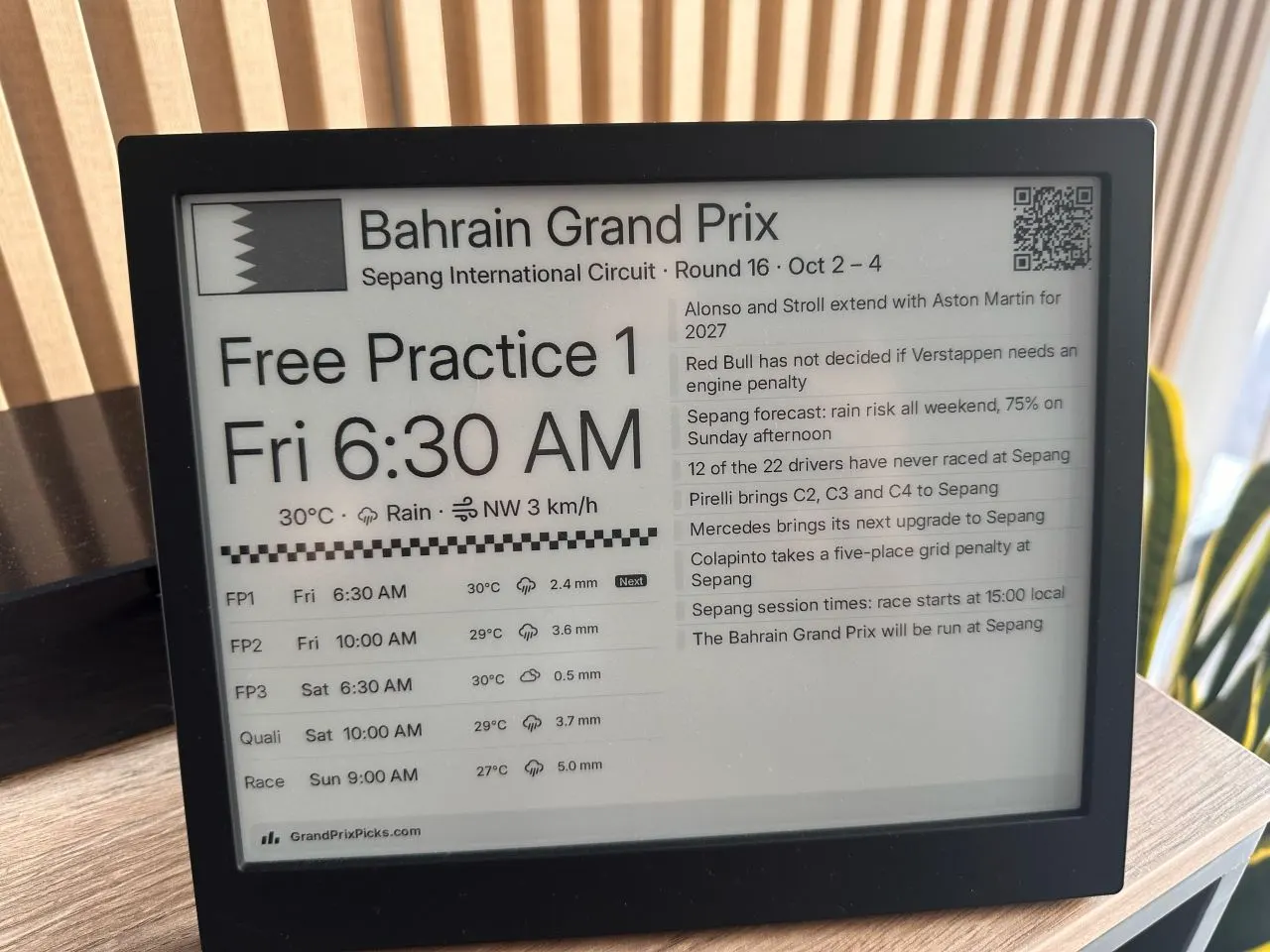
What it shows
The screen leads with the next session and its start time in your time zone, with the forecast for the circuit. Below it, every session of the weekend is listed with its own temperature and rain.
More than six days before a race weekend, the screen lists the coming rounds and their dates instead, with the weekend’s sessions below. Forecasts appear from six days out.
Once a session has run, its row lists the finishers in order, as many as fit. A race result stays on screen for 36 hours.
The other column carries the weekend’s news, with grid penalties and other changes to a session first. After qualifying it shows the whole field with lap times, then the confirmed starting grid once it is published. The QR code opens that weekend’s write-up on Grand Prix Picks, or the race page when there isn’t one.
Between seasons, the screen shows the drivers’ and constructors' championship tables, with the latest Formula 1 news.
Setup
Install the recipe from TRMNL’s plugin directory and add it to a playlist. Choose Install rather than Fork: an installed recipe gets updates, while a fork is a copy that stays as it was.
Times follow the time zone on your TRMNL account. The one setting is Units, for metric or imperial weather. The screen refreshes every 15 minutes and fits all four layouts, landscape or portrait, on the TRMNL OG and the TRMNL X.
Every screen
Drawn from the plugin’s own templates with real weekend data. Later moments replay the last weekend that reached them.
Palette and sample news
TRMNL OG, 4 grays, 800×480. Las Vegas Grand Prix, as it stood on Wed 11 Nov, 00:30. Times in UK time.
Before the season ends, the off-season tab uses current standings and sample news.